Give Your Old Laptop New Life: How to Turn It into a Home Server
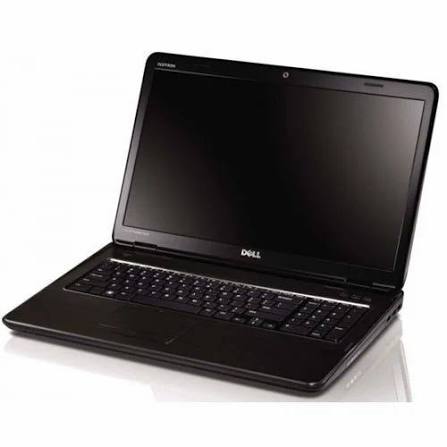
Give Your Old Laptop New Life: How to Turn It into a Home Server
Introduction
Do you have an old laptop gathering dust in a drawer? Before you consider recycling it or throwing it away, think about the untapped potential sitting right in front of you. Laptops make surprisingly excellent home servers because they are energy-efficient, compact, and come with a built-in battery backup. In this comprehensive guide, we will walk you through everything you need to know to turn that aging machine into a functional, 24/7 server.

Why Use a Laptop as a Server?
While many enthusiasts buy dedicated hardware like a Raspberry Pi or a NAS, an old laptop offers unique advantages that shouldn't be overlooked:
- Built-in UPS: The laptop battery acts as an Uninterruptible Power Supply, keeping your server running during brief power flickers.
- Integrated Screen and Keyboard: Troubleshooting is much easier when you don't need to hunt for a monitor and cables.
- Low Power Consumption: Laptops are designed for battery life, meaning they use significantly less electricity than a desktop PC.
- Cost Effective: The best hardware is the hardware you already own for free.
Top Projects for Your New Server
Once your server is set up, the possibilities are nearly endless. Here are some of the most popular ways to utilize your hardware:
- Media Streaming: Install Plex or Jellyfin to host your own private Netflix-style library for your family.
- File Storage (NAS): Use OpenMediaVault or simple Samba shares to back up your important documents and photos.
- Home Automation: Run Home Assistant to control your smart lights, thermostats, and security cameras locally.
- Web Hosting: Host a personal blog or a development environment to test your coding projects.
- Game Hosting: Set up a private Minecraft or Valheim server for you and your friends.
Choosing the Right Operating System
While you can run a server on Windows, it is often resource-heavy and prone to forced updates. For the best experience, consider a Linux-based operating system:
- Ubuntu Server: The most popular choice with massive community support and ease of use.
- Debian: Known for its rock-solid stability, making it perfect for a machine that stays on 24/7.
- CasaOS: A great choice for beginners who want a beautiful web dashboard to manage their server apps.
Step-by-Step Installation Guide
Ready to start? Follow these basic steps to get your server online:
- Step 1: Prepare the Hardware. Dust out the vents with compressed air and ensure the power adapter is in good condition.
- Step 2: Create Installation Media. Download your chosen OS and use a tool like Rufus or BalenaEtcher to flash it onto a USB drive.
- Step 3: Install the OS. Plug the USB into the old laptop, boot from it, and follow the on-screen prompts. Be sure to select 'minimal' or 'server' versions to save resources.
- Step 4: Configure Remote Access. Enable SSH (Secure Shell) so you can control your server from your main computer without needing to touch the laptop again.
- Step 5: Manage Lid Settings. By default, laptops sleep when the lid is closed. You will need to edit your OS settings (like the systemd logind configuration in Linux) to ensure the server stays awake when the lid is shut.
Conclusion
Turning an old laptop into a server is one of the most rewarding 'upcycling' projects a tech enthusiast can undertake. It saves money, reduces e-waste, and provides a powerful tool for your home network. Whether you are looking to secure your data or host your own media, that old laptop is more than capable of handling the job. Dust it off, plug it in, and start your server journey today!
© Copyright by Chikuweb